CrossBoot: จาก Pain Point ตัวเอง สู่ Tools สร้าง USB Bootable Windows สำหรับชาว macOS
เบื้องหลังการสร้าง CrossBoot โปรแกรมสร้าง USB Bootable Windows บน macOS แก้ปัญหาไฟล์เกิน 4GB และเทคนิค Cross-Compile wimlib แบบ Static Linking
เลือกใช้ Next.js เพื่อจะใช้ประโยชน์จาก Server Component แต่ Framer Motion ดันต้องการ Client Component ในการทำ Animation จะทำอย่างไรดี?
เลือกใช้ Next.js เพื่อจะใช้ประโยชน์จาก Server Component แต่ Framer Motion ดันต้องการ Client Component ในการทำ Animation จะทำอย่างไรดี?
เมื่อใช้ Next.js 13+ กับ App Router เราจะได้ Server Component มาใช้โดย default ซึ่งช่วยให้ performance ดีขึ้น แต่ Framer Motion ต้องการ Client Component เพื่อทำ animation
"use client";
import { motion } from "motion/react";

export default function StaggeredText({
  text,
  as: Tag = "p",
  highlightWords = [],
  highlightClassName = "text-blue-500 font-bold",
  duration = 1,
  initialDelay = 0,
  className = "",
  ...props
}) {
  const segmenter = new Intl.Segmenter("th", { granularity: "word" });
  const words = [...segmenter.segment(text)].map((seg) => seg.segment);

  const staggerDelay = words.length > 1 ? duration / (words.length - 1) : 0;

  return (
    <Tag
      className={className}
      {...(Tag !== "p" && { "aria-label": text })}
      {...props}
    >
      {words.map((word, index) => (
        <motion.span
          key={index}
          aria-hidden="true"
          initial={{ filter: "blur(8px)", opacity: 0, y: 16 }}
          animate={{ filter: "blur(0)", opacity: 1, y: 0 }}
          transition={{
            duration: 0.3,
            delay: initialDelay + index * staggerDelay,
          }}
          className={`inline-block ${
            highlightWords.includes(word.trim()) ? highlightClassName : ""
          }`}
          style={{ whiteSpace: "pre" }}
        >
          {word}
        </motion.span>
      ))}
    </Tag>
  );
}
แยก component ออกเป็นสองส่วน:
แนวทางนี้เป็น best practice สำหรับการใช้ animation library กับ Next.js 13+
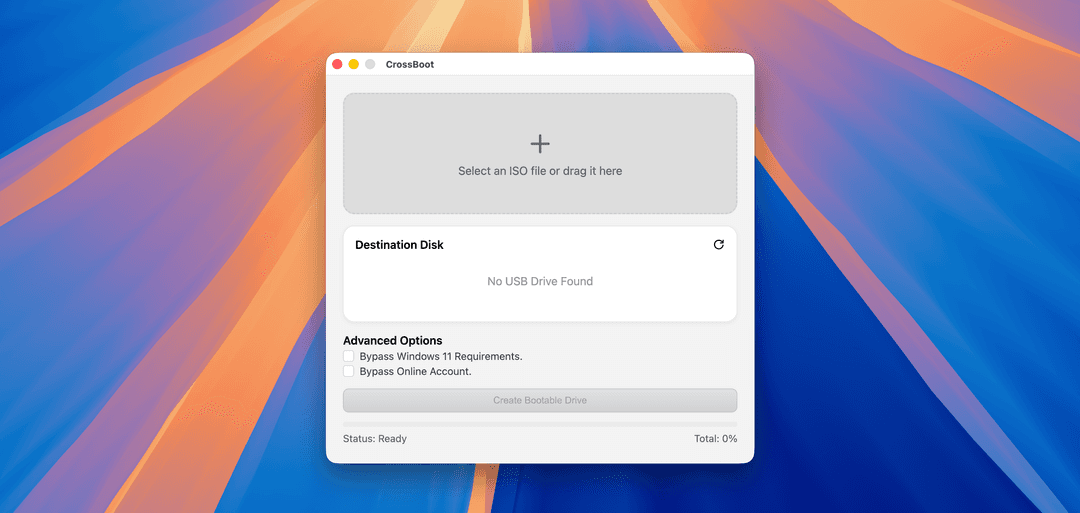
เบื้องหลังการสร้าง CrossBoot โปรแกรมสร้าง USB Bootable Windows บน macOS แก้ปัญหาไฟล์เกิน 4GB และเทคนิค Cross-Compile wimlib แบบ Static Linking

ประสบการณ์การฝึกงานที่ ClickNext ในตำแหน่ง Frontend Developer ประสบการณ์ไม่มีวันลืม เป็นอย่างไร มีอะไรได้เรียนรู้บ้าง มาดูกัน!